16 Mar
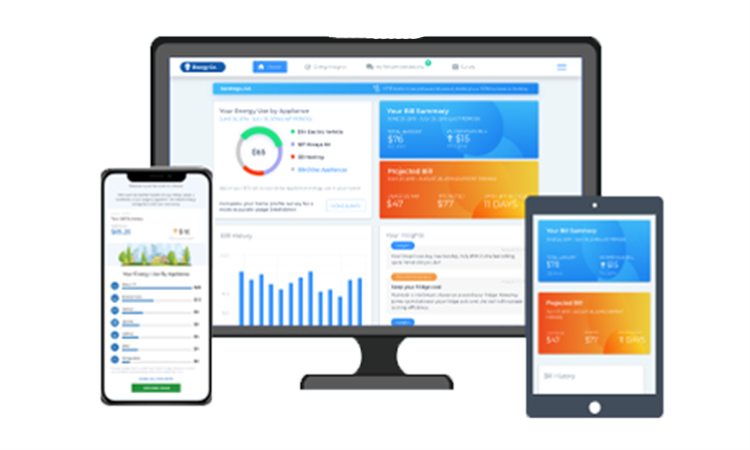
We’re excited to introduce a powerful upgrade to your SmartHub experience: Energy Analytics, a new tool designed to give you deeper insight into how your home uses electricity.
Energy Analytics replaces the My Usage tool and offers a more personalized and detailed view of your energy consumption. Whether you’re working to lower your bill or simply want to stay informed, Energy Analytics puts clear, actionable information in your hands.
With the Energy Insights dashboard, you can:
- See which appliances likely use the most energy in your home
- Compare your usage to similar homes in your area.
- View additional solar generation data if you have a rooftop solar system.
You can also turn on Smart Alerts to stay informed throughout your billing cycle, including:
- A monthly summary of itemized estimated costs by appliance.
- High‑use alerts to help you avoid bill surprises.
- A projected bill estimate mid‑cycle.
How Energy Analytics works: Energy Analytics is powered by disaggregation‑based technology, which delivers hyper‑personalized insights and recommendations to help you make smarter energy choices. These insights do not mean CORE monitors individual appliances; instead, the tool uses modeling to estimate how much energy different appliances or systems might use.
What is disaggregation?
Disaggregation is the process of breaking down your total household electricity use into estimates for individual appliances or systems.
These estimates are based on:
- Information you share in your Home Profile, and
- General appliance usage assumptions.
This approach helps you understand how different appliances may contribute to your overall energy use. However, it does not provide precise measurements.
It’s important to know that CORE does not monitor specific appliances or “peek behind the meter.” We only receive the total household usage from your electric meter. The rest of the appliance‑level breakdown is modeled to give you helpful approximations.
How to get started
Getting started is simple:
-
- Log into your SmartHub account.
- Click the Energy Analytics tab.
- Complete your Home Profile.
- Set your notification preferences under Settings > Manage Notifications > Usage.